Closed beta · version 1.0.0-beta.7

AI chat and a coding agent, right on your desktop.

One Windows app for 40+ AI models, an agent that builds inside your own project folders, and image generation. Every model shows what a message costs before you send it.

Checking free tester spots…
Windows 10 / 11, 64-bit · Free during the beta · Also on GitHub · Join our Discord

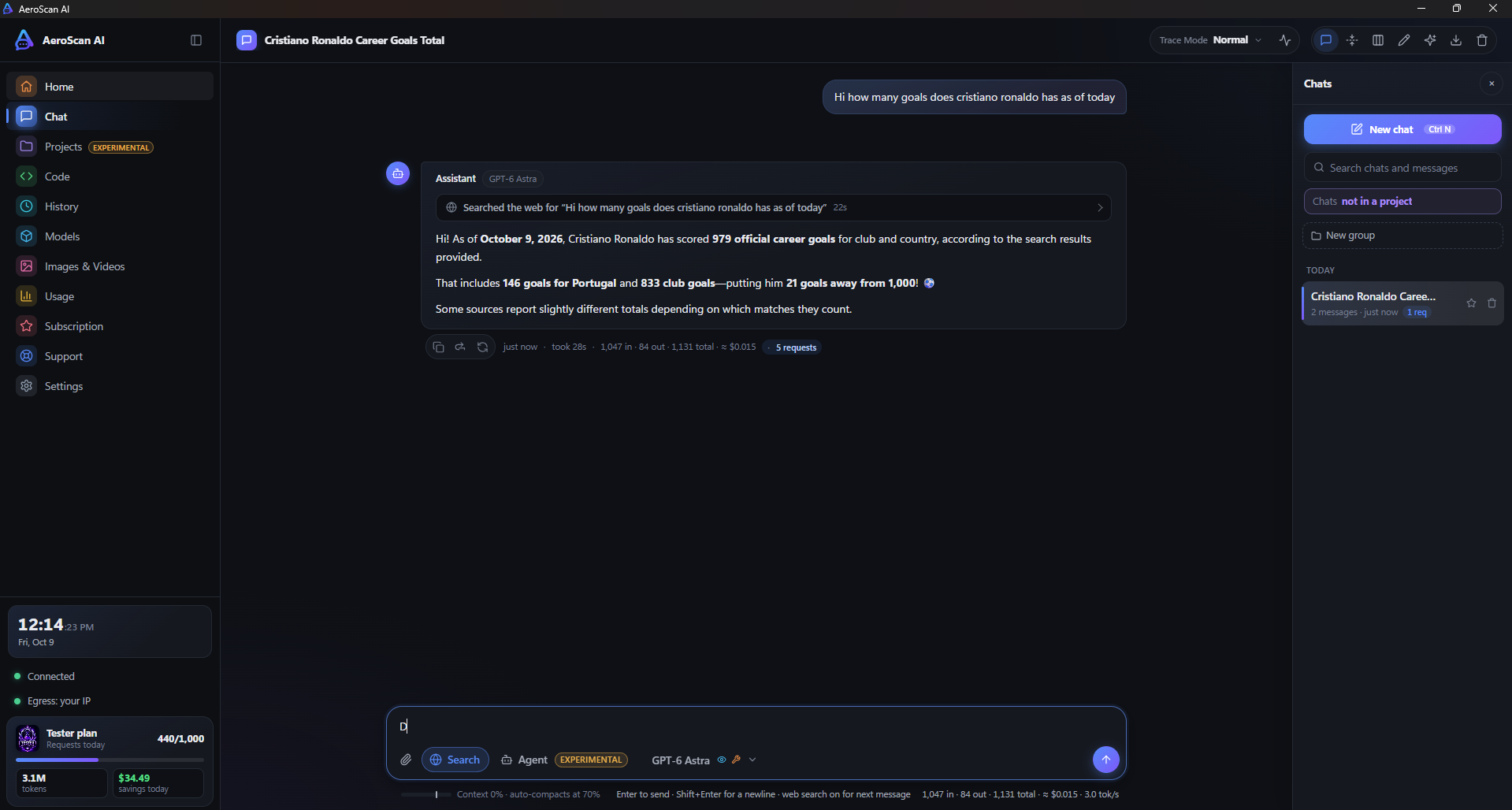
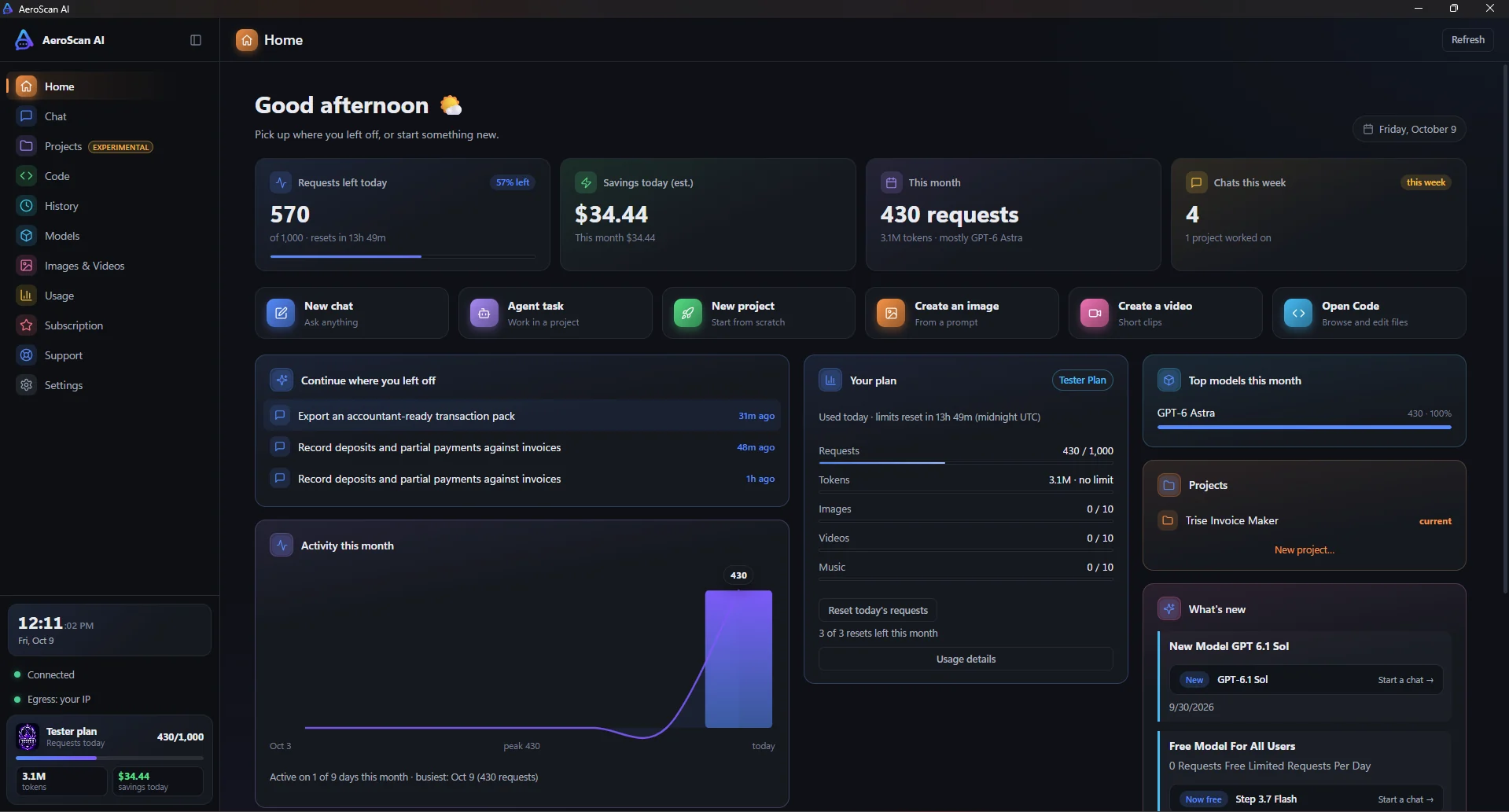
The AeroScan AI home screen: requests left today, savings, recent chats, your plan and top models
Get started

Up and running in two minutes

1

Download and run

Run the installer, or just open the portable version.

Windows SmartScreen? Click More infothen Run anyway

2

Register with your email

The first 20 people get the Tester plan for free. Your key is set up for you automatically.

3

Pick a model and go

Choose a default model with its cost shown, then chat, or point the agent at a project folder.

New in beta 7

Plan it, build it, follow it from your phone

Already on beta 6? The app offers the update when it starts.

Specs in their own Agent tabPick Ask, Quick task or Spec. The agent writes requirements, a design and tasks, you approve each step, and every screen says whose turn it is.
Your phone as a remoteScan a QR code to follow a run live, answer or approve the agent, and start new work from your phone.
Focus windows and project memoryRun tasks in their own windows and review each change. "Learn the code" keeps notes on how your project works.
Redesigned screensClearer Live work, a History timeline, an Images & Videos studio, step-by-step Support and calmer Settings.
What you get

Everything in one window

No browser tabs, no copy-pasting code. Work happens on your own machine, in your own folders.

Agent mode

An agent that works in your project

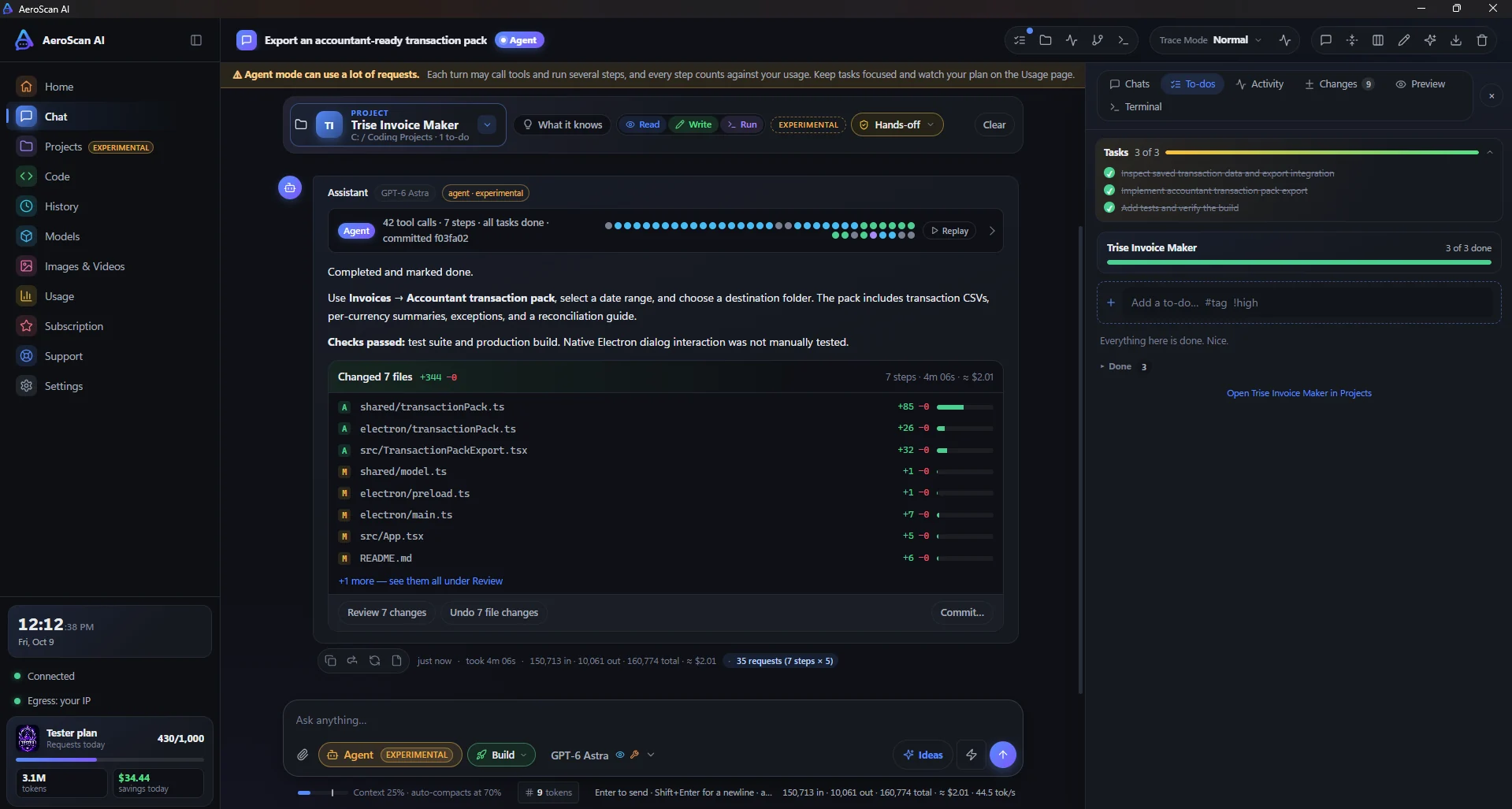
Give it a task and it plans, edits files, runs your tests and reports back. You review every change and can undo any of it.

  • Reads, writes and builds in a folder you choose
  • Review, undo or commit every change it makes
  • Stops when the checks pass, so it doesn't waste requests
Agent mode after building a feature: 7 changed files with review, undo and commit, and the task list all done
Projects

Keep each project together

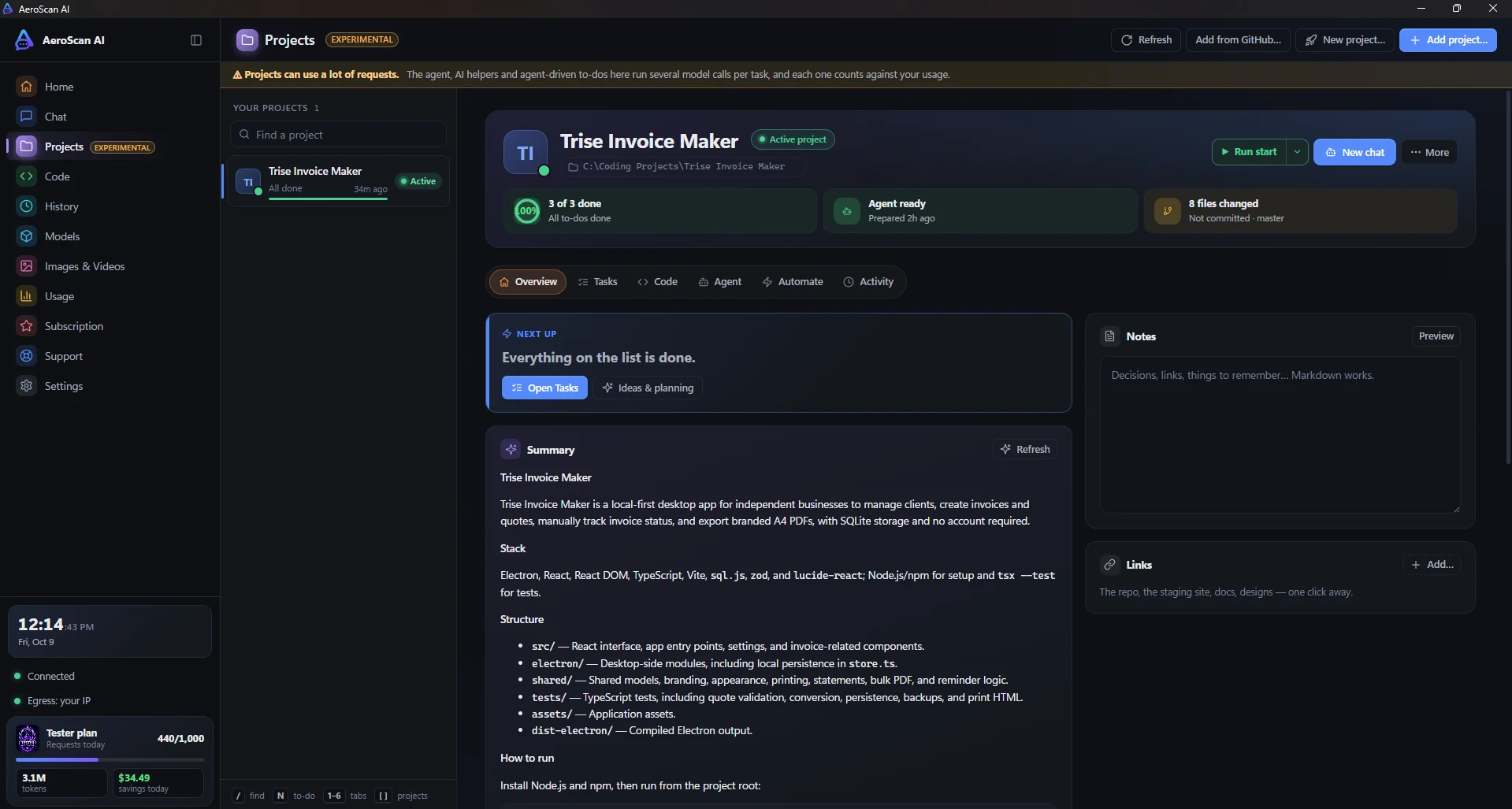
To-dos, milestones, notes, links, chats and agent runs live in one place for each folder. Start an agent chat straight from a to-do.

  • To-dos and milestones with progress
  • Feature ideas for your project, one click to build
  • Git status and an AI summary of the project
The Projects page: to-do progress, agent status, changed files and an AI summary of the project
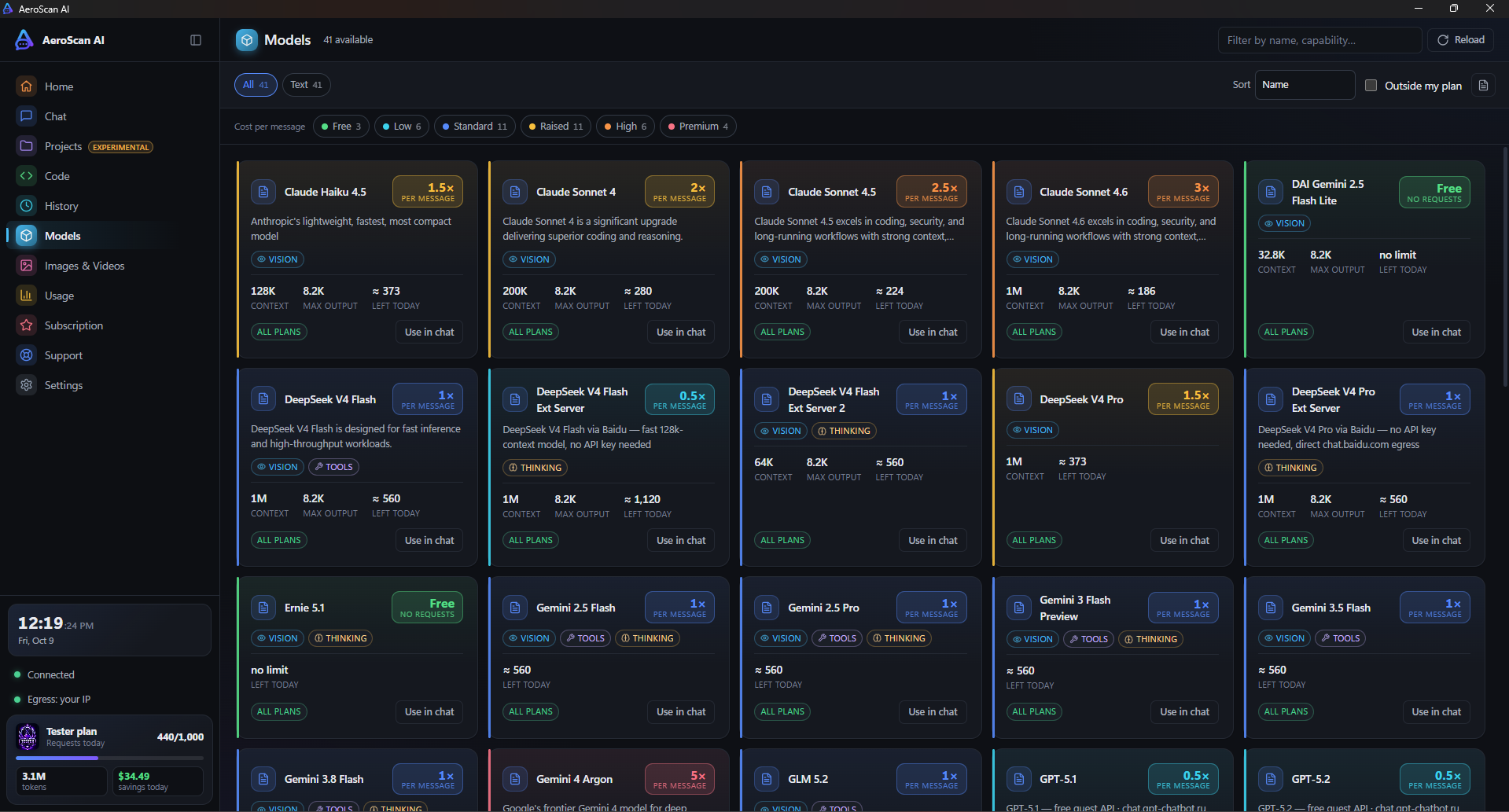
40+ modelsSwitch models in a click. The cost is shown on every one.
ImagesGenerate images in the same window as your chats.
VisionPaste a screenshot and ask about it.
Your files stay localThe agent works in folders you choose, on your PC.
Closed beta

The Tester plan, free for the first 20

Register in the app while spots are open and you get full access for 7 days. After that the account moves to the Free plan.

Tester
Free for 7 days

Every model on the platform, including the ones that can use tools in agent mode.

Get the beta
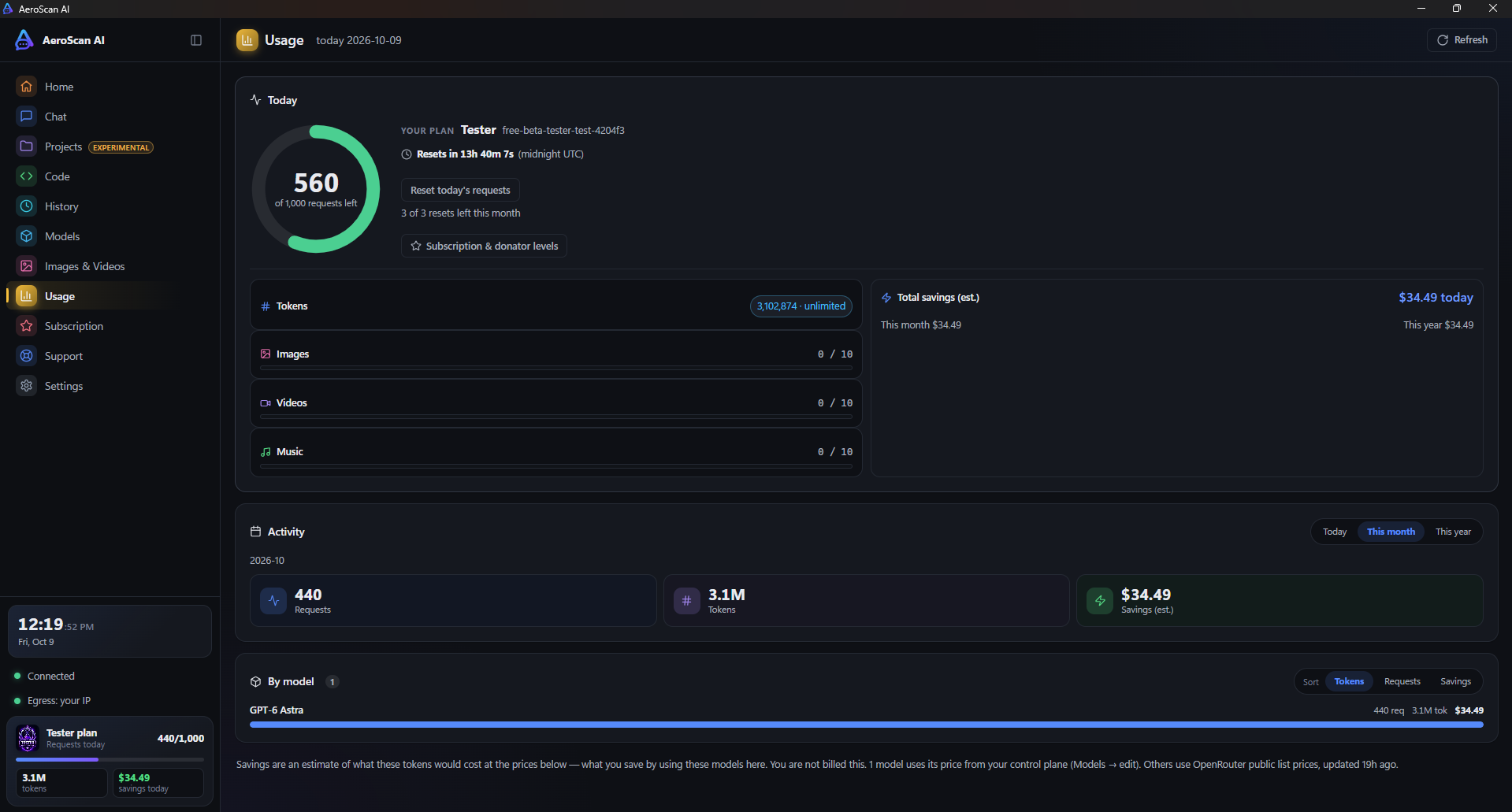
1,000requests per day
3daily-count resets per month
10 eachimages, videos and music per day
No limiton tokens per day
Models

What each model costs

A chat message uses the number of requests shown. In agent mode, every step uses that many, so a 10-step task on a 3-request model uses 30.

Verify

Check your download

The beta isn't code-signed yet, which is why Windows shows a warning. To make sure the file is exactly ours, compare its SHA-256 hash.

Installer721f58ed7cbff318701dd06bf1787588db3ef922f8918400e9f110ae46e07109
Portable6515bc4c50c195d45f8d40b1e93ad92540d81cdec7a01620376243a03e48b253
Get-FileHash "$env:USERPROFILE\Downloads\AeroScan AI-Beta-Setup-1.0.0-beta.7-x64.exe" -Algorithm SHA256
FAQ

Questions

Is it free?

Yes. The first 20 people to register get the Tester plan free for 7 days, then their account moves to the Free plan. Paid plans come later.

Why does Windows say it "protected your PC"?

The beta isn't code-signed yet, and SmartScreen warns about new unsigned apps. Click More info, then Run anyway. If you want to be sure, compare the file's hash with the one above.

What counts as a request?

Each chat message uses the request cost of the model you picked; free models use none. In agent mode, every step the agent takes uses the model's cost.

Where do my files go?

The agent only works in the project folder you choose, on your own PC. You approve or review its changes, and you can undo them.

Where do I get help or report a bug?

Join our Discord: testers get their own channels for bug reports, feature requests and agent mode. You can also open an issue on GitHub.

Can I use it in VS Code?

Yes. In the app, open Settings → Integrations and click Add to VS Code (or Update). Your models, plus "AeroScan Agent" versions of the agent models, appear in Copilot Chat's model picker. Paste your API key once when VS Code asks. Keep the app open while you use the AeroScan Agent models.

Mac or Linux?

Windows 10 and 11 (64-bit) only for now.

What happens when the spots are gone?

Registration closes until we open more places. The counter at the top of this page shows how many are left.

Try it while the spots last

Free Tester access for the first 20 people.